Click on the button to watch a video on this issue
A downloadable PDF Troubleshooting Card
is available in the description of the video
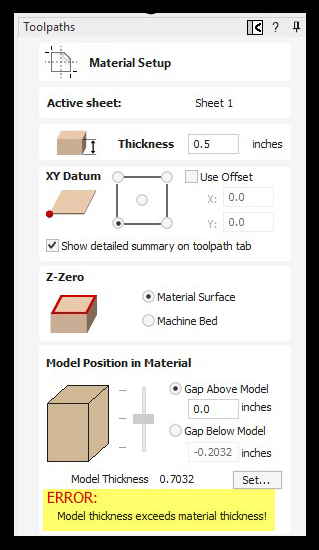
This message indicates that the 3D model or component is thicker than the material thickness you have specified. There are several ways to correct this issue:
- Increase the material thickness so the 3D model or component fits within the defined material.
- Reduce the Z height of the 3D model or component by using either the Reduce Height of Component icon or the Scale Z Height of Model icon. Both tools are located in the Modeling Tools section of the Design tab.
- Adjust the component properties by right-clicking the 3D model or component in the Component Tree and selecting Component Properties. In the dialog that opens, modify the Shape Height, Base Height, or a combination of both to achieve the desired overall thickness.