Click on the button to watch a video on this issue
A downloadable PDF Troubleshooting Card
is available in the description of the video
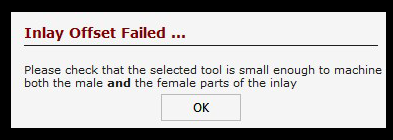
Inlay Offset Failed
Issue
The Inlay Offset Failed error appears when creating an inlay or cutting within a closed vector.
What This Means
The selected tool is too large to fit within the space of the closed vector shape. The software cannot calculate a valid offset for the inlay.
What to Check
- Verify that the tool diameter is appropriate for the vector geometry
- Ensure the closed vector is large enough for the tool to pass without overlapping
- Check for tight corners, narrow sections, or small features that may restrict the tool
How to Fix
- Select a smaller tool that fits within the vector shape
- Adjust the vector geometry to provide enough clearance
- Recalculate the toolpath after making changes
Tip
Whenever a tool is used inside a closed vector, make sure there is enough space for the tool to move freely—otherwise, the offset will fail.