Click on the button to watch a video on this issue
A downloadable PDF Troubleshooting Card
is available in the description of the video
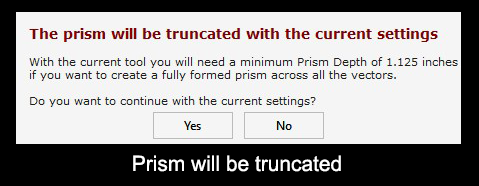
Prism will be Truncated Warning
Issue
The Prism Carving toolpath produces a truncated or flat-topped prism.
What This Means
- Prism Depth sets how deep the tool cuts relative to the Start Depth.
- The total depth of the prism base is the combination of Start Depth + Flute Depth.
- If the depth is too shallow, the prism will not fully form, resulting in a flat top.
What to Check
- Verify the Prism Depth value is sufficient for your design
- Consider the widest point (W) of the selected vector and the tool angle (A) to determine the minimum depth
- Ensure the Start Depth and Flute Depth are correctly set
How to Fix
- Increase the Prism Depth so the tool reaches the full intended shape
- Use the “Set Depth for Full Prism” function to calculate the correct depth automatically
- Recalculate the toolpath after adjusting depth
Tip
Always confirm that the Prism Depth covers the widest part of the vector and matches the tool angle—this prevents truncated or incomplete prism shapes.