Click on the button to watch a video on this issue
A downloadable PDF Troubleshooting Card
is available in the description of the video
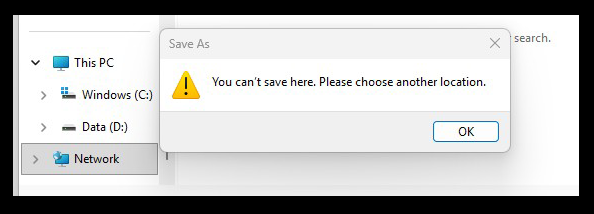
In Vectric software (such as VCarve or Aspire), the message “Can’t save here” typically indicates a file permission or access issue rather than a software bug.
This error occurs when the operating system prevents the software from writing to the chosen directory for the following reasons:
- Restricted System Folders: You may be trying to save directly into protected locations like
C:\Program Files,C:\Windows, or the root of theC:\drive, which Windows restricts for security. - Controlled Folder Access: Windows Defender or other antivirus software may have “Controlled folder access” enabled, which blocks third-party applications from modifying files in standard folders like Documents or Desktop.
- Lack of Administrator Privileges: The software may need to be run with higher permissions. Right-click the Vectric icon and select “Run as Administrator” to see if the issue persists.
- Network or Cloud Sync Issues: If you are saving to a network drive, a USB stick, or a synchronized folder (like OneDrive or Dropbox), the connection may be interrupted or the file may be locked by the syncing service.
- Read-Only Attributes: The destination folder or an existing file you are trying to overwrite might be marked as “Read-only”.