Click on the button to watch a video on this issue
A downloadable PDF Troubleshooting Card
is available in the description of the video
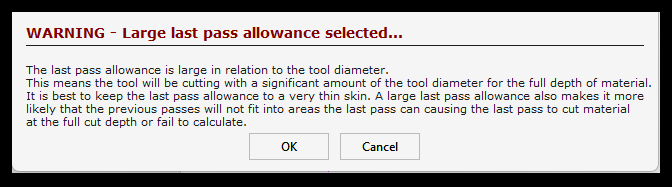
Large Last Pass Warning
Issue
A warning appears when the Last Pass Allowance is too large, or the toolpath may fail to calculate.
What This Means
The Last Pass is meant to remove a thin “skin” of material left after the previous passes.
If the last pass allowance is too large, the tool must cut through too much material at full depth, which can cause the toolpath to fail.
- Warning occurs if the last pass allowance is greater than 1/3 of the tool diameter
- Ideally, the last pass should be much smaller than this
What to Check
- Verify the Last Pass Allowance value in your toolpath settings
- Ensure the previous passes have cleared enough material for the final pass
- Check that the tool can physically fit and remove the remaining material
How to Fix
- Reduce the Last Pass Allowance to a small value
- Adjust the step-downs of previous passes if too much material is left
- Recalculate the toolpath after adjustments
Tip
Keeping the last pass as small as possible:
- Reduces the chance the tool won’t fit in tight areas
- Minimizes the amount of material the final pass must cut
- Ensures a smoother and more reliable toolpath calculation