Click on the button to watch a video on this issue
A downloadable PDF Troubleshooting Card
is available in the description of the video
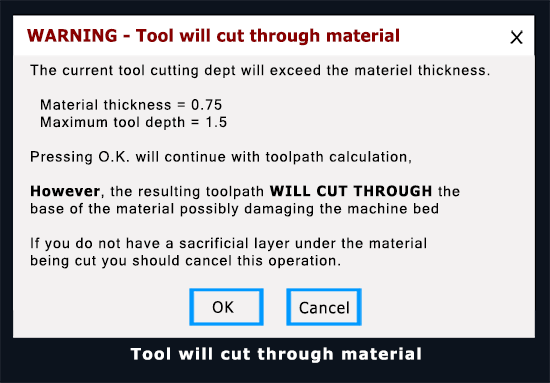
- Warning Message: “Tool will cut through material” is a common warning from CAM software indicating the tool path goes deeper than the material’s set thickness.
- Action: You usually confirm by clicking “OK” if you intend to cut all the way through (e.g., to create a complete part), but you must ensure your toolpath accounts for it.
- Tabs: You often need to leave “tabs” (small uncut sections) so the cut-out piece doesn’t fly off and damage the machine or the bit.
What it’s NOT
- It’s not just “cutting into” the material (a partial cut or pocket).
- It’s not necessarily about the speed, but the depth setting relative to the material’s thickness.
If you do not want to cut entirely through the material,
check the toolpath settings as adjust as needed.