lick on the button to watch a video on this issue
A downloadable PDF Troubleshooting Card
is available in the description of the video
Insufficient Glue Gap
What It Means
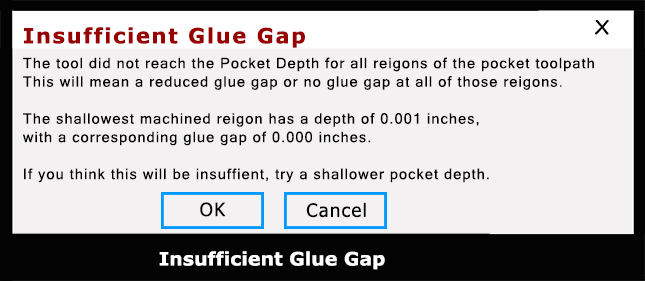
The “Insufficient glue gap” message appears when creating V-carve inlay toolpaths and indicates that the software cannot calculate enough clearance at the bottom of the female pocket for glue. As a result, the toolpath cannot be cut accurately, or the inlay may bind before fully seating.
Vectric intentionally creates a small gap at the bottom of the female inlay to hold excess glue while allowing the angled V-carve walls to form a tight, clean joint at the surface. When this warning appears, your current tool, vector, or depth settings prevent that gap from being created.
Common Causes & Fixes
Tool Size Too Large
- Cause: The selected V-bit or end mill is too large to reach the required depths or handle fine detail.
- Fix: Switch to a smaller V-bit or end mill better suited for intricate geometry.
Vectors Too Tight or Complex
- Cause: Lines, corners, or internal spaces are too close together for the chosen bit.
- Fix:
- Run Vector Validation to find overlapping or open vectors.
- Increase spacing between vectors (adjust text spacing or edit nodes manually).
Incorrect Inlay Depth Settings
- Cause: Start Depth, Cut Depth, or Flat Depth settings prevent proper male/female gap calculation.
- Fix:
- Verify depth values for both inlay parts.
- Ensure depths match material thickness and V-bit angle.
- Use proven depth combinations from trusted Vectric guides or community-tested setups.
Incorrect Bit Angle
- Cause: The physical V-bit angle does not match the angle defined in the tool database.
- Fix:
- Confirm the actual bit angle.
- Update the tool library or use a verified, certified V-bit.
Result
Correcting tool size, vector spacing, depth values, or bit angle will allow Vectric to calculate the required glue gap, regenerate the toolpath successfully, and produce a clean, properly seated V-carve inlay