Click on the button to watch a video on this issue
A downloadable PDF Troubleshooting Card
is available in the description of the video
Nesting Boundary Layer Error
Issue
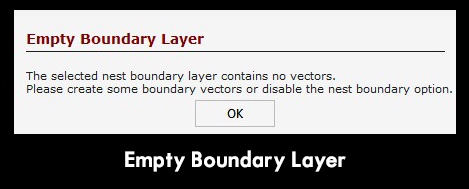
A warning appears when creating a nesting layout.
What This Means
The Nesting Boundary Layer does not contain a valid closed vector, or there are no closed vectors on the Nesting Layer.
Nesting boundaries must be made from closed vectors so the software knows where parts are allowed to be placed.
What to Check
- Confirm the selected Nesting Boundary Layer contains vectors
- Make sure all boundary vectors are closed, not open
- Check for small gaps or overlaps in the vectors
- Verify that holes or exclusion areas are also made from closed vectors
How to Fix
- Edit the boundary vectors and close any open shapes
- Use vector tools to join, trim, or close gaps
- Redraw the boundary if necessary
- Re-select the corrected layer as the Nesting Boundary Layer and rerun nesting
Tip
If the boundary shape would not hold water, it isn’t closed—and nesting will fail.