ck on the button to watch a video on this issue
A downloadable PDF Troubleshooting Card
is available in the description of the video
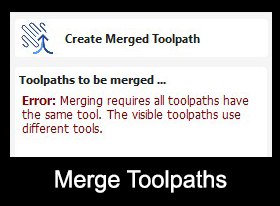
Merge Toolpaths Error
Issue
Problems may occur when attempting to merge multiple toolpaths into a single toolpath.
What This Means
For efficient and successful merging:
- All toolpaths must use the same tool with identical geometry
- Differences in feed rates or spindle speeds between tools can prevent merging
Feed and speed differences are controlled by the CNC Post Processor, which may affect the final merged toolpath.
What to Check
- Confirm all toolpaths use the same tool type and size
- Verify that feed and speed settings are compatible for merging
- Ensure tool geometry (diameter, shape, orientation) is identical
How to Fix
- Adjust tool selection so all toolpaths use the same tool
- Align feed and speed rates if possible
- Recalculate or merge toolpaths again
Tip
Merging toolpaths only works reliably when the tools and settings are consistent. If different tools or settings are required, keep toolpaths separate for safe and accurate machining.